
Remote Display
Remote Display is the designer tab for your player boxes. It is also at Account → Displays without the designer, and it fits a phone. Pick a display at the top; each one has five sections.
Now
What the box is doing right now and the quickest ways to change it.
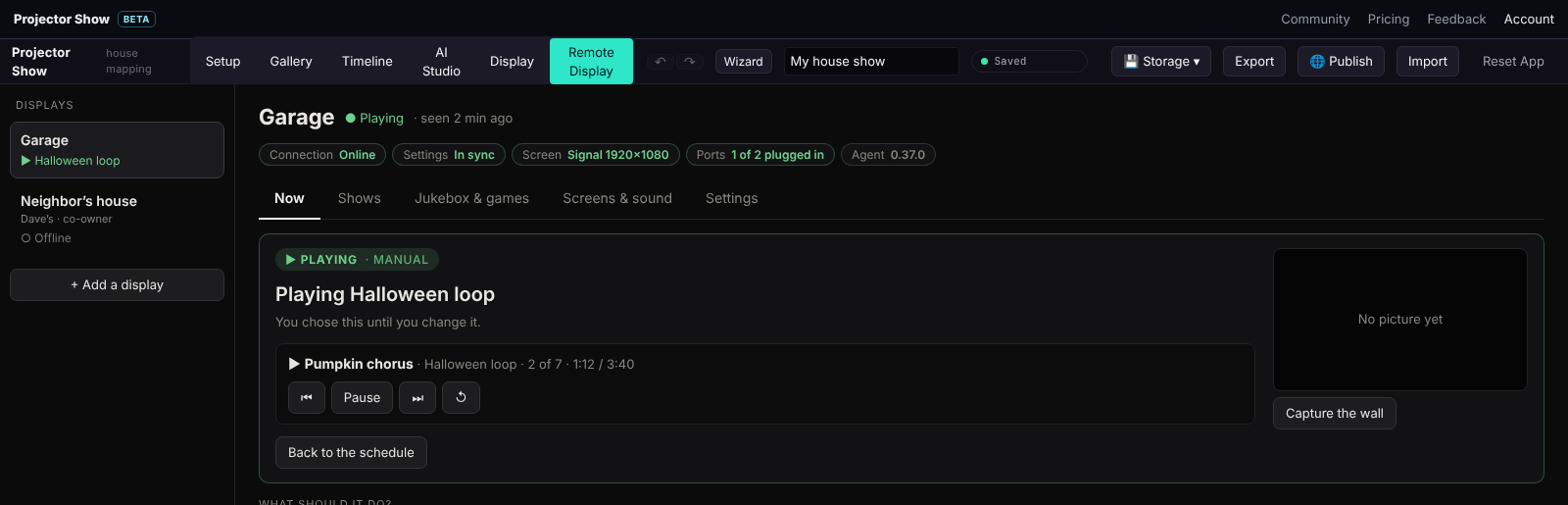
- Status: connection, whether your latest changes have reached the box, the screen (signal on, HDMI off, nothing plugged in), ports, clock, disk and the agent version. Hover a value for what it means. A box that is offline keeps following its own schedule.
- Play now: pick a playlist or a single item to play until the next scheduled change, pause, skip, or go back to the schedule. HDMI off turns the signal off so the projector sleeps.
- Cast this show: Live Mode.
- Phone remote: the link to this display's phone remote.
- House sound: the box's volume and where the sound goes, with the Jukebox's phone listening if it has one.
- Identify and Test screen put a name or a test pattern on the projector so you know which box and which port you are looking at.
Shows
Playlists and Schedule: what plays, and when. See Playlists and schedules.
Jukebox, games & TV
- Jukebox: visitors pick the next show from a QR card.
- Pet Show and the Turtle card appear once the display has a Jukebox.
- Games: shown to the display's owner.
- TV & web: a website on one face.
- Visitor stats: how the Jukebox was used.
Screens & sound
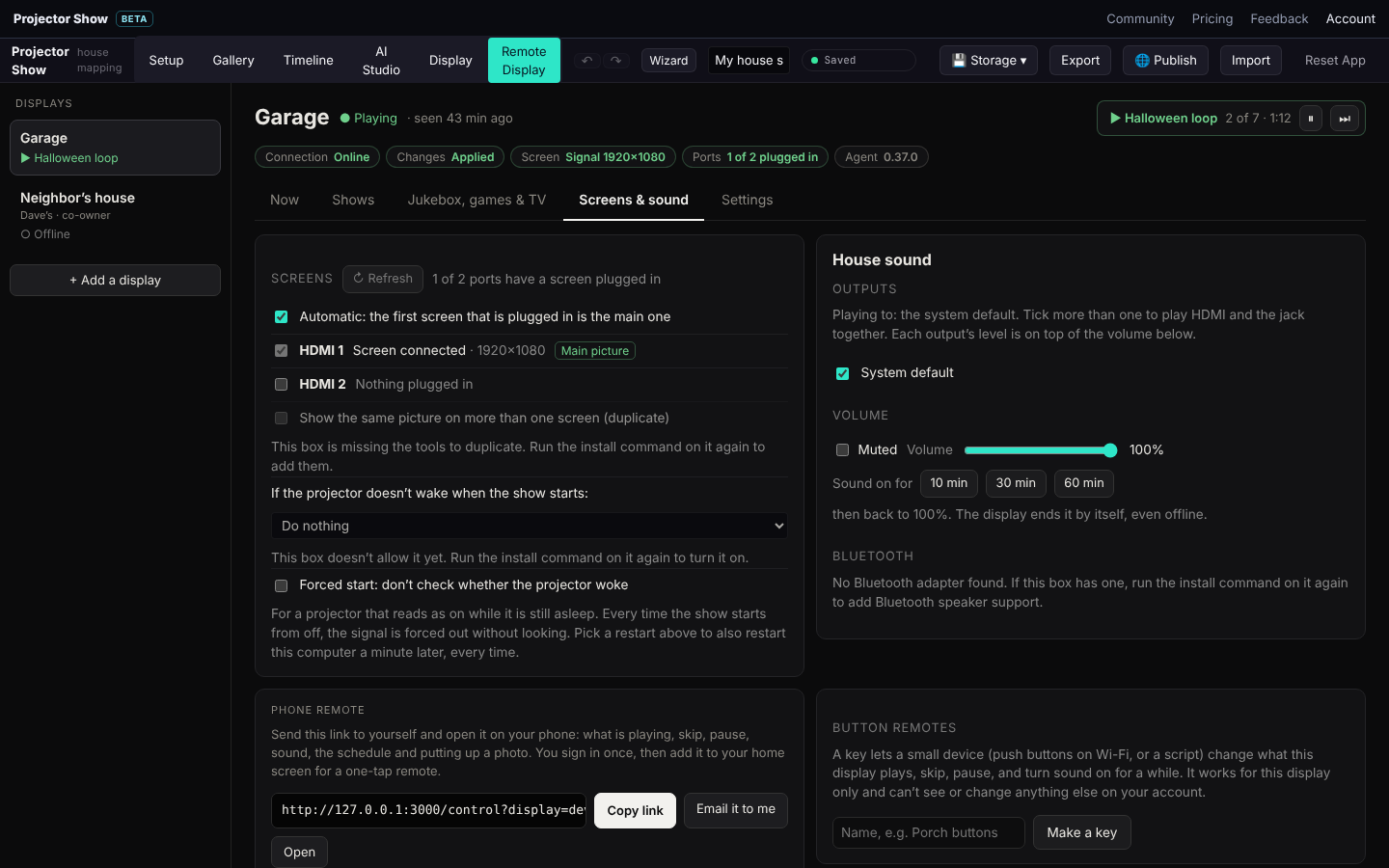
- Screens: which port is the main screen, and whether to mirror it to the other ports. On Windows the ports are the PC's own monitors.
- Sound: HDMI (through the projector or screen on that port), the headphone jack, several outputs at once, or a Bluetooth speaker: scan, pair, connect and forget from here. Test plays a two-second tone so you can tell the ports apart. The box reconnects a paired speaker by itself.
- Forced start: for a projector that reads as awake while it is asleep. See Playlists and schedules.
- Button remotes: keys for small Wi-Fi button devices. See Phone and button remotes.
Settings
General
- Name and time zone. The schedule runs in the box's time zone, so set it to where the house is.
- When idle: HDMI off so the projector sleeps, or stay on showing nothing.
- Facts: the agent version, the local IP for SSH, uptime.
- Update now re-runs the installer on the box with the options it was installed with. Restart and Shut down restart or power off the whole computer (it comes back after a minute on hardware that supports it).
- Remove takes the display out of your account.
Sharing a display
A display belongs to the account that paired it. The owner can add:
| Role | Can |
|---|---|
| Co-owner | Everything the owner can, except remove the display, hand it over or change co-owners. |
| Helper | Run the display: playlists, schedule, screens, sound, Jukebox, Live Mode and logs. Cannot change who has access. |
Co-owners and helpers run the display with the owner's playlists, library and plan, and can drop their own renders into its playlists. Hand over gives the display to another account (the other person accepts the offer from their own Remote Display tab), and you choose whether to stay on as a co-owner, a helper or not at all. A shared folder lets two households take turns with their shows on the same projector.
Logs
The box's recent log lines and upload progress. This is the first place to look when a playlist is not starting: it says which file is still downloading and what the player last did.
Copy from another display
Each new display can copy the playlists and schedule of one you already have, so a second projector is a few clicks, not an evening.