
Games on the house
A Jukebox show can be a game instead of a video. The player box runs it, the picture is warped onto one face of the house with everything else black, and each visitor's phone becomes a gamepad. Up to four people race on the garage door while the rest of the street watches.
What you need
- A Linux player box installed with
--games(see Install the player box). On a box installed without it, run the install line again with--games; the box builds what it needs in the background, which takes tens of minutes once. Windows boxes cannot play games. - Your own game files. Projector Show ships no game data. The Games card lists the supported games and what each needs (a game file or disc image you legally own). It is uploaded once per account, checked against the version the game port accepts, and copied only to your own boxes; removing it in the Games card deletes it from every box.
- The display's owner signs in; helpers and co-owners do not see the Games card.
Set a game up
In Remote Display → Jukebox, games & TV → Games:
- Upload the game file from a computer (or, under Advanced, from a Linux machine with the file's path). The box downloads and checks it.
- Pick where it plays: a face of the house (chosen from the designer's Remote Display tab, which has the house) or the whole projector picture. The game can also run on its own screen, a second port on the box, so the show keeps playing on the projector.
- Start-up presses skip a game's own menus so it arrives at the race. Auto-start can open a game at the Jukebox's open time.
- Mods and saves: optional add-on packs and a save file you keep, per game. Mods are managed in their own card.
- Add the game to the Jukebox as a show, with a game console pick and a time limit (Available from / until, minutes per play).
Playing
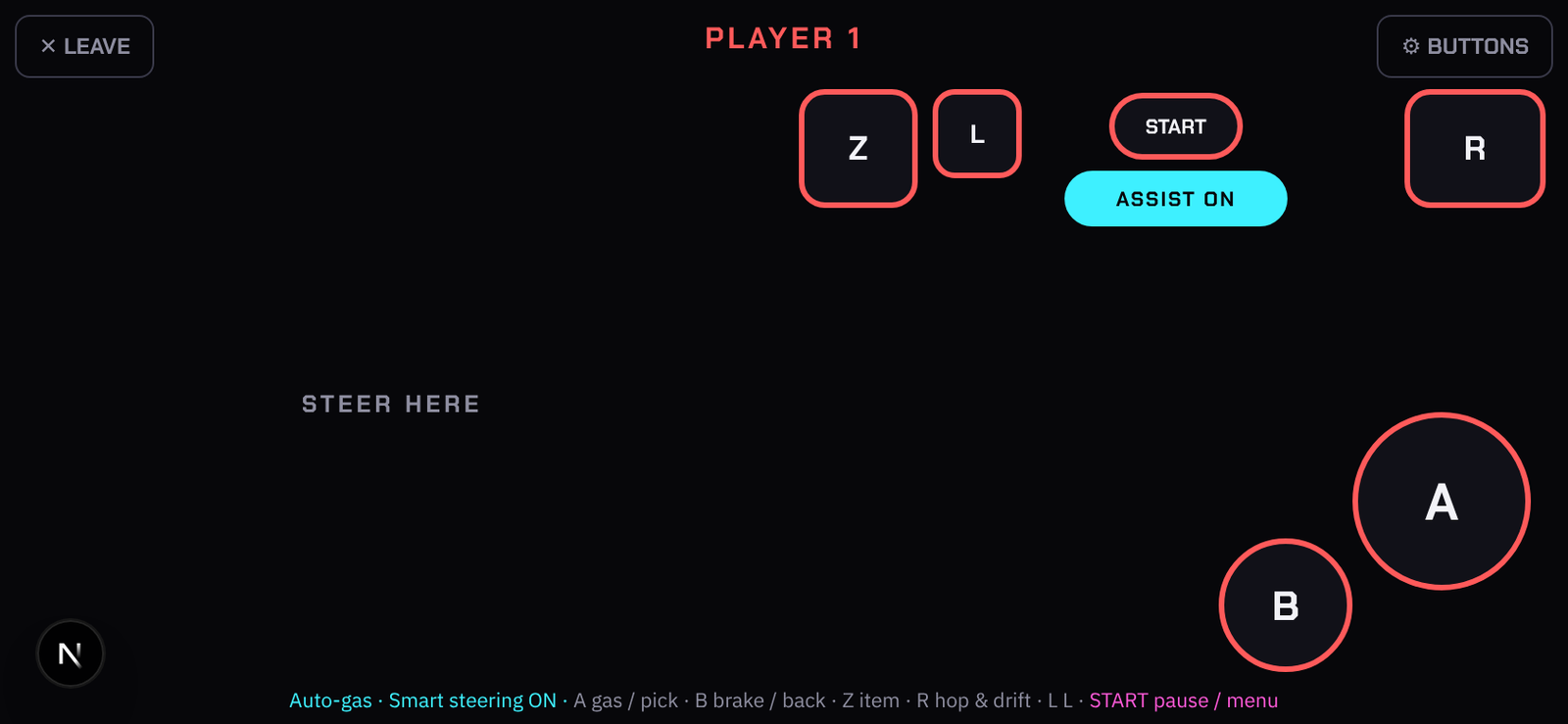
- Visitors pick the game on the Jukebox page and their phone turns into a pad: thumbs on both sides like a real controller, or upright with the stick on top. Double-tap the steering side to use an item. START is always START, and anyone can end the game for everyone.
- USB or Bluetooth gamepads plugged into the box take a player each in the order they arrive; a pad unplugged and plugged back gets its player back. The Gamepads card shows what is plugged in and lets you map buttons.
- Assist helps small kids: it holds the gas and steers back toward the track as the kart nears the edge. Set its strength, when it starts helping and when it gives up (a shortcut, another branch) per display; a visitor turns it on from their pad.
- When the game ends or its time runs out, the box goes back to its schedule.
Good to know
- A game plays through a kiosk on the box, so the show's sound and the game's sound share the box's outputs; the Sound tab's volume applies.
- The first start after an upload takes a minute while the box converts the file.
- Game settings (which game, mods, Assist) are per display owner's account; the Jukebox entry and the face are per display.