
Projector player box
Install on a mini PC, pair it, and it plays your playlists on a schedule, cuts the HDMI signal between shows so projectors that sleep on no signal can rest, and takes a live feed.
Read more →Open the Jukebox and a QR card plays on the house between shows. Visitors scan it, choose what plays next, hear the soundtrack on their own phone, and even play on the house.
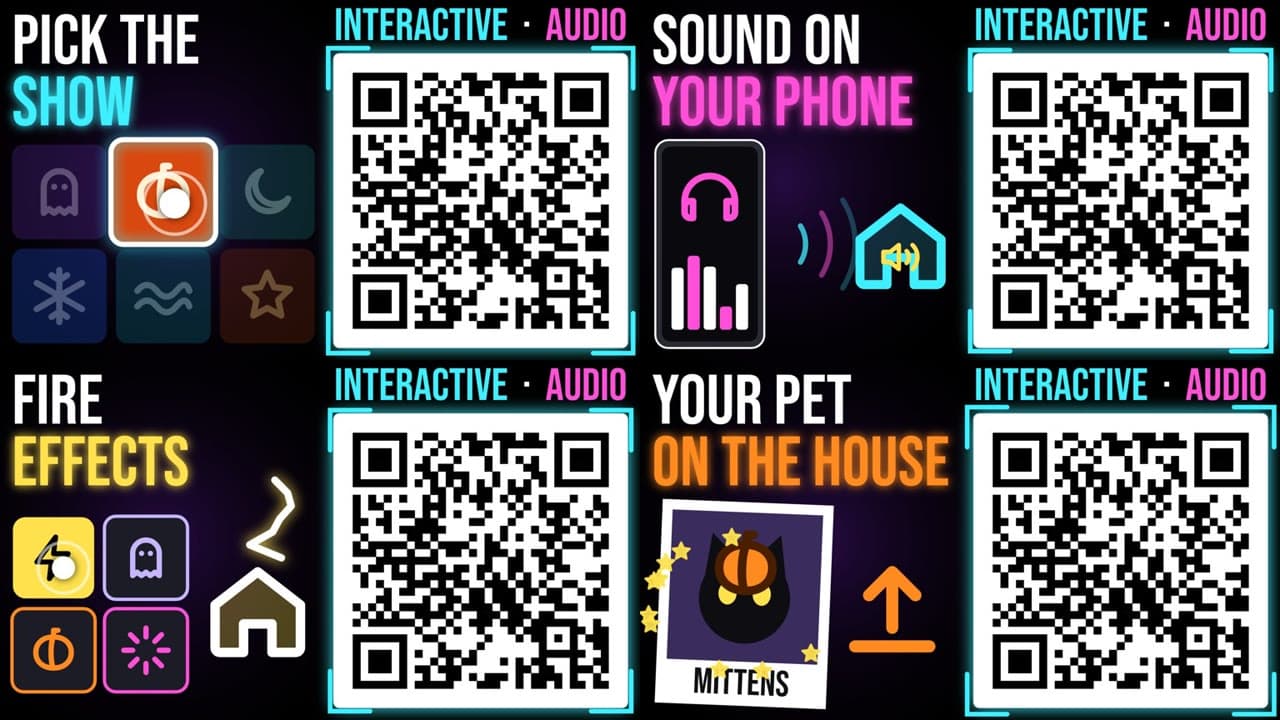
Each display gets its own Jukebox page. Visitors see the shows you choose to offer, pick one, and it plays after the current one. A rendered intro card with your QR code plays on the face you pick, sized to be read from the street.
Scare effects blend over whatever is playing, duck the show’s sound and fade back. Trigger them from visitor pads or from your own phone and button remotes.
Run supported games on the player box and project them onto one face of the house. Each phone becomes a gamepad, and a USB gamepad can join in too. You provide your own legally owned game files; they stay on your own boxes.
Visitors upload a photo of their pet, pay or enter a code, and an AI-made clip of about five seconds plays on the house over your song. You decide what is allowed, a scene check flags problems before payment, and you can remove any clip.
No. The QR code opens a web page. Picking a show, the phone audio and the game controller all run in the phone’s browser.
Yes. You choose which shows the Jukebox offers, when it is open, and which extras (games, scares, Pet Show) are switched on.
Install on a mini PC, pair it, and it plays your playlists on a schedule, cuts the HDMI signal between shows so projectors that sleep on no signal can rest, and takes a live feed.
Read more →Skeletons, a jack-o’-lantern house, graveyards, ghosts, static and jump scares, fitted to your walls and windows.
Read more →A jack-o’-lantern, a sea turtle or your own 3D model lip syncs to your audio, with expressions, actions and dance moves.
Read more →The designer runs in your browser, with nothing to install. Your first show is free.