
What Is Projection Mapping? A Beginner's Guide with Examples
By Projector Show · Published and last updated August 24, 2026
Projection mapping is the process of fitting projected visuals to the shape and position of a real surface. Instead of accepting the projector's normal rectangle, you align content with a house, wall, stage set, sculpture, window, or other physical form.
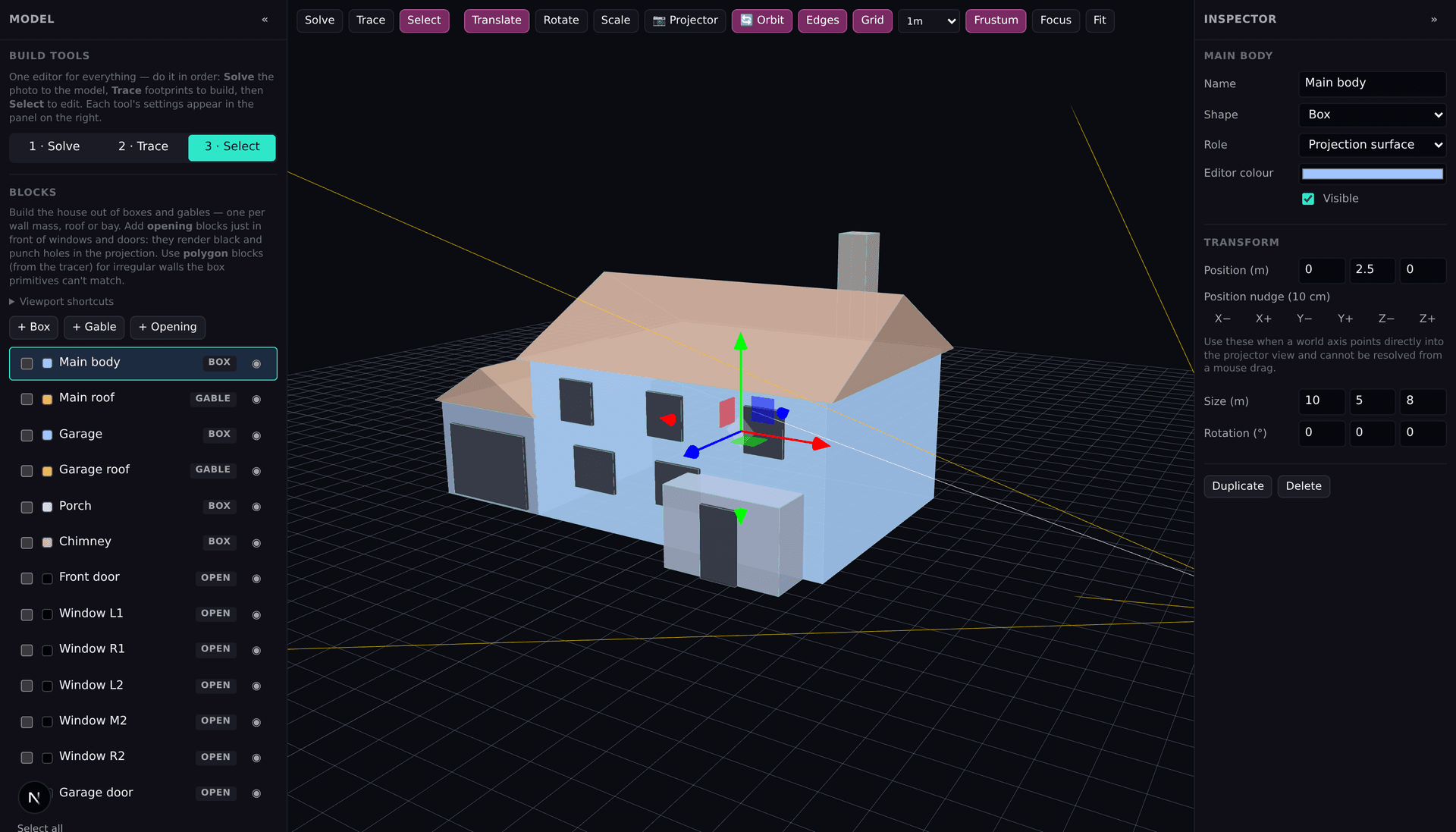
The Projector Show designer beside a modeled facade. The model defines where effects appear; projector alignment fits the final frame to the real building.
Projection mapping versus ordinary projection
Ordinary projection treats the target as a flat rectangular screen. Projection mapping accounts for the target's boundaries and features. On a house, that might mean keeping light off the sky, tracing rooflines, treating windows as dark openings, and making an effect wrap from one wall face to another.
Is projection mapping the same as video mapping?
The terms often overlap. “Video mapping” emphasizes mapped video content; “projection mapping” also includes generated graphics, still images, live inputs, and interactive visuals. The practical job is the same: match pixels from the projector to known places on the physical surface.
How projection mapping works
- Choose and measure the surface. Note its main boundaries, openings, and viewing distance.
- Position the projector. Confirm that its throw covers the target and that the computer sees it as a display.
- Represent the surface. Build or trace the parts that should receive light.
- Align the output. Use a grid and corner correction to match the projected frame to reality.
- Create the show. Add content and effects, arrange cues or clips, and rehearse playback.
Equipment you need
- A projector appropriate for the surface size, throw distance, and ambient light
- A compatible laptop or desktop and video cable or adapter
- Projection mapping software
- A dark-enough environment for setup and playback
- Your measurements, facade photo, content, and audio if used
- Weather-appropriate protection and safe power distribution for outdoor work
There is no universal brightness or price that fits every site. Surface color, image size, competing light, viewing distance, throw ratio, and weather protection all affect the equipment decision. See the projector buying considerations for house mapping.
Common projection-mapping surfaces
Houses and holiday displays
Windows, doors, garage panels, walls, and rooflines become parts of a Halloween or Christmas scene. A single-projector facade is a manageable first project.
Architecture and stages
Larger facades, theatre scenery, DJ booths, and small-event backdrops use the same alignment idea, though scale and operational requirements can grow quickly.
Objects and interactive installations
Sculptures and irregular objects may need more detailed geometry. Interactive work also needs tracking, sensors, or control systems; a specialist environment such as TouchDesigner may be the better choice for highly custom interaction.
What does projection mapping cost?
Software can start free, but the full cost depends mainly on projector coverage and installation. A creator who already owns a laptop and suitable projector may only need a cable and software. A wide or brightly lit facade can require multiple projectors, weather protection, mounting, signal distribution, and professional electrical or rigging help. Plan from the measured surface rather than an arbitrary package price.
Beginner mistakes to avoid
- Buying before measuring. Check image width and throw distance first.
- Testing only indoors. Rehearse at the real distance and darkness.
- Moving the projector after alignment. Mark or secure its position.
- Using detail that disappears. Test contrast and text size on the actual surface.
- Depending on untested Wi-Fi. Load and rehearse the exact show before guests arrive.
- Starting too large. One projector and a short loop teach the complete workflow.
Try the workflow
Projector Show brings facade modeling, alignment, built-in effects, your own media, timeline playback, and a clean second-screen output into one browser workspace. Review how to create a projection mapping show step by step, explore the projection mapping features, or create your first show free.